Macy’s Insite Login & Employee Schedule – EmployeeConnection.net.
Complete guide to the Macys Insite employee website.
View your Macy’s work schedule, past paystubs and manage your benefits. Learn how to log in to Macys Insite from home and from your mobile phone, and how to avoid common login problems.
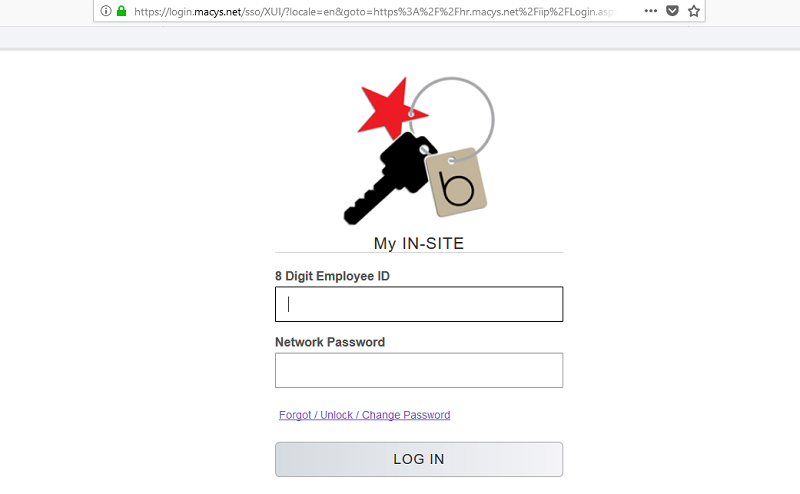
Visit www.hr.macys.net/msp/ to get to to the log in page. Enter your 8 Digit Macy’s Employee ID to log in.
Disclaimer: This is a help guide for informational use only. To visit the official Macys Insite page, go to https://hr.macys.net/insite/.
Macys Insite or EmployeeConnection.net. Which website should I use?
Every major company is the US now have a dedicated employee website, where associates can log in with their own User ID and password. Macy’s (and Bloomingdale’s) is no exception.
New employees at Macy’s are sometimes left confused about where to login and how to obtain their User Id and password, however.
This is understanding as Macy’s have two actual website urls that lead to their employee portal, namely, www.employeeconnection.net and https://hr.macys.net/insite/common/logon.aspx.
However, both websites will eventually lead you to the same sign in page, located here. So it does not really which url you start with. Use the link on this page to go directly to the Macys employee login page.
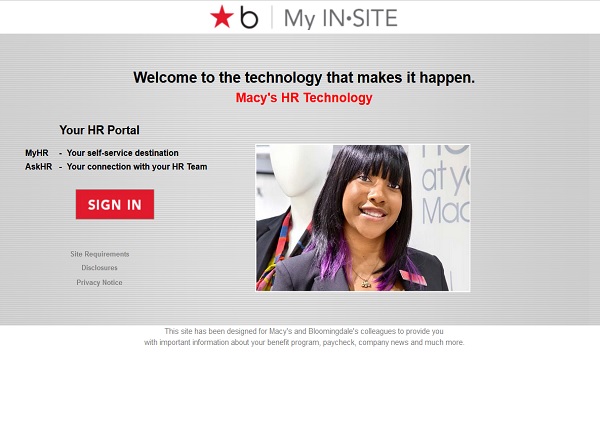
The Macy’s Insite login page at https://hr.macys.net/insite/.
How to Use the www.EmployeeConnection.net Portal
The Employee Connection website is a broader portal, that includes company news, w-2 and 2-4 forms as PDFs, and links to company ressources.
You will be able to read up on all Macy’s and Bloomingdales benefits, including:
WageWorks – COBRA Login
BLUEMERCURY
2017 Plan Documents and Information
2018 Plan Documents and Information
2018 Health Plan Selection Tool
RETIREMENT
401(k)
Social Security
AARP
OTHER BENEFITS
Earning for Learning
Employee Assistance Program
Matching Gifts
Scholarship Program
CollegeBound 529 Plan
Macy’s Extra Associate Discount Events
SOLUTIONS IN STORE
The Early Dispute Resolution Program (EDR)
The website also lists company employee news, and corporate resources, that is accessible without logging in first.
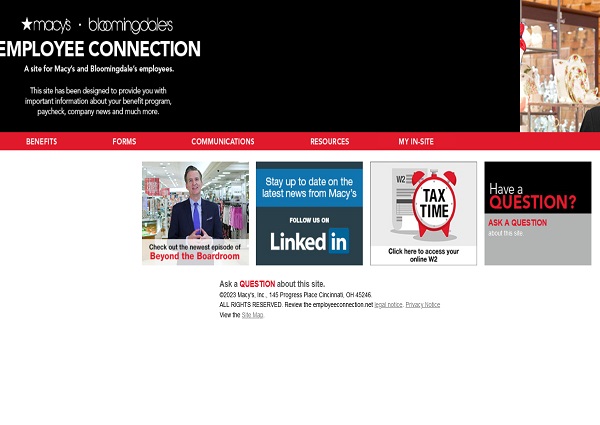
The Macy’s employee website at www.employeeconnection.net
How to Use the Macys MyInsite Portal.
The Macy’s Insite website at hr.macys.net should be used only when you want to log in to the Macy’s Insite portal.
Once logged in, Macy’s Insite users are able to:
- View your weekly work schedules.
- Check benefits.
- Make changes to their medical, vision and dental coverage.
- See company news and read the company website.
- View your previous paystubs.
- Change social security, tax and 401K information.
- View W2s and W4s.
- Change contact information, such as address, phone numbers and more.
- Apply for holidays and paid time off.
How to Register for Macy’s Insite.
Macy’s Insite registration.
In order to sign in to the system, you will need to register first.
To register:
- Visit www.employeeconnection.net.
- Click on ‘My Insite’.
- Click on ‘Site-In’.
- Click on you have forgot password/unlock password option.
- On the password manager screen an https://pwr.macys.net/, you must fill in your Employee Id and the last 4 numbers of your social security number.
- Solve the CAPTHA and follow the insturctions to unlock your temporary employee password.
How to Login at the www.EmployeeConnection.net Website.
Macy’s Insite Login.
To login to the employee website, follow these steps:
- After registration, go to www.employeeconnection.net, and click on ‘My Insite’.
- Click on ‘Sign In’.
- Enter your employee ID and password.
Macys Insite Login.
You can also go directly to the url at:
https://hr.macys.net/insite/common/home.aspx
for the direct access login screen.
If you are still having problems logging in to MyInsite, then see our Macys Insite Login Troubleshooting guide.
Add your questions or comments in the comment section below.
What is Macy’s Insite?
Macy’s Insite is a web portal for Macy’s employees that provides access to a variety of resources, including pay stubs, schedules, benefits information, and training materials. Insite is available to all Macy’s employees, regardless of their job title or location.
What can Macy’s employees use Macy’s Insite for?
Macy’s Insite can be used for a variety of purposes, including:
- Viewing pay stubs
- Viewing schedules
- Managing benefits
- Accessing training materials
- Communicating with managers
- Submitting requests
Other features of Macy’s Insite.
In addition to pay stubs and schedules, Macy’s Insite also offers a variety of other features, including:
- Benefits information: This section of Insite provides information about Macy’s employee benefits, such as health insurance, retirement plans, and paid time off.
- Training materials: This section of Insite provides access to training materials for a variety of topics, such as customer service, sales, and inventory management.
- Communication tools: This section of Insite provides tools for communicating with managers and other employees, such as email, instant messaging, and a company directory.
- Request forms: This section of Insite allows employees to submit requests for things like vacation time, sick leave, and reimbursements.
How do I view my Macy’s paystubs?
To view your Macy’s paystubs, you can follow these steps:
- Log in to Macy’s Insite.
- Click on the “My Pay” tab.
- Select the paystub that you want to view.
How do I view my Macy’s schedule?
To view your Macy’s schedule, you can follow these steps:
- Log in to Macy’s Insite.
- Click on the “My Schedule” tab.
- Select the schedule that you want to view.
How to access Macy’s Insite.
To access Macy’s Insite, you will need to have a Macy’s employee ID and password. You can find your employee ID on your Macy’s pay stub or on your employee badge. If you have forgotten your password, you can reset it through the Insite login page.
The Macy’s Insite website is available 24 hours a day, 7 days a week. You can access it from any computer with an internet connection.
Macy’s My Insite Employee Website – FAQ.
Frequently Asked Questions:
What if my Login screen is not loading?
– Close your browser and then open a new browser and try again.
What does “Code Required” mean?
– On the screen that indicates “Code Required”, you can click on “Why?” to get an explanation. You must have a personal email/phone on file. If you do not, call Macy’s Insite Help Desk at 1-678-474-2300.
What if I am not getting code sent to me?
– Use the “REQUEST NEW CODE” button and try a different delivery method if you have more than one.
– If you do not have 2 delivery methods you can update your profile in MyHR or Password Manager
Note – Text messages to other than country code +1 cannot be sent. Instead, select email as the delivery option.
What email address can I use to login?
– Applications like ignite (Degreed), Google Cloud, Service Now allow logging on with email address but this MUST be your Macy’s Inc. company email address.
What if I am having an application issues?
– For ANY application logon screen issue, call the Macy’s Insite Help Desk at 1-678-474-2300
Macys Insite Login Error.
– I am a former employee logging into Macys InSite and receiving error message “The sign-in attempt failed. Please try again.”
1. Validate that you selected the “Former Collegue” Sign-in Button and typed the correct Employee ID/Password.
2. If you have issues after logging into Macys InSite, issues with your employee number, or issues related to Human Resources, call Macy’s HR Services at 1-800-234-6229.
What can I use the Macy’s Insite website for?
The Macy’s Insite website is an essential tool for Macy’s employees to manage various aspects of their employment. Employees can use this portal to:
- View and manage work schedules: Check upcoming shifts, request time off, and manage availability.
- Access payroll information: View and download pay stubs, track earnings, and manage direct deposit details.
- Manage benefits: Review health benefits, enroll in new benefits during open enrollment, and access retirement plan information.
- View personal information: Update contact details, emergency contacts, and view employment history.
- Access company news and updates: Stay informed about company-wide announcements, policy changes, and other relevant news.
- Access training and development resources: Participate in online training modules and track completed courses.
How do I log in to the Macy’s Insite website?
To log in to the Macy’s Insite website, follow these steps:
- Visit the Macy’s Insite login page at https://hr.macys.net/insite/.
- Enter your 8-digit Employee ID and the associated password.
- Click on the “Sign In” button to access your account.
If you have forgotten your password, you can reset it by clicking on the “Forgot Password” link and following the prompts to recover or reset your password.
What are different Macy’s employee websites used for?
Macy’s employees have access to several websites, each serving a specific purpose:
- https://login.macys.net/sso/: This is the Single Sign-On (SSO) portal for Macy’s employees, allowing access to various Macy’s systems and applications with a single set of login credentials.
- https://hr.macys.net/insite/: The Insite portal is the primary platform for managing personal information, payroll, benefits, and more.
- https://macysinc.com: This is the corporate website for Macy’s Inc., providing information about the company, investor relations, corporate news, and career opportunities.
- https://hr.macys.net/msp/default.aspx (Macy’s MyDay My Schedule): This portal is specifically for managing work schedules, checking shift details, and requesting time off.
- http://employeeconnection.net/: This website provides general resources for employees, including access to the Insite portal, company news, and HR contact information.
How do I check my Macy’s and Bloomingdale’s schedule online?
To check your schedule online, use the MyDay My Schedule portal:
- Visit the MyDay My Schedule portal at https://hr.macys.net/msp/default.aspx.
- Log in using your Employee ID and password.
- Navigate to the “My Schedule” section to view your upcoming shifts.
This portal allows you to see your schedule, request shift changes, and manage availability.
How do I get my Macy’s W-2 form?
You can access your W-2 form online through the Macy’s Insite website:
- Log in to https://hr.macys.net/insite/.
- Navigate to the “My Payroll” section.
- Look for the option to view and download your W-2 form.
- You can also opt to receive your W-2 electronically by updating your preferences in the payroll section.
How do I get my Macy’s W-4 form?
To update or access your W-4 form:
- Log in to the Macy’s Insite portal at https://hr.macys.net/insite/.
- Go to the “My Payroll” section.
- Look for the option to update your W-4 tax withholding information.
- Make any necessary changes and save the form.
How do I contact Macy’s Human Resources?
To contact Macy’s Human Resources:
- Via Phone: You can reach Macy’s HR Services by calling the Macy’s HR Contact Center at 1-800-234-6229.
- Via Online: Access the HR section through the Insite portal for additional contact options, including email and live chat services.
How do I contact Macy’s Corporate Office?
To contact Macy’s Corporate Office:
- Phone: You can reach the Macy’s Corporate Office by calling 1-212-494-1602.
- Mail: Macy’s, Inc., 151 West 34th Street, New York, NY 10001.
How do I see available Macy’s jobs?
You can view available jobs at Macy’s through their careers website:
- Visit https://macysinc.com.
- Navigate to the “Careers” section.
- Use the search tools to find job openings by location, department, or job type.
How do I apply for a Macy’s job online?
To apply for a job at Macy’s:
- Visit the Macy’s careers page at https://macysinc.com/careers.
- Search for the desired job position.
- Click on the job listing to see details and click “Apply” to begin the application process.
- Follow the prompts to complete the online application and upload your resume.
What apps does Macy’s use for scheduling?
Macy’s uses the MyDay app for scheduling purposes, which allows employees to view their schedules, request time off, and manage their availability directly from their mobile devices.
Who is Macy’s payroll provider?
Macy’s payroll services are managed internally by Macy’s HR department. However, the technical infrastructure may involve third-party payroll processing systems for efficiency and accuracy.
What is Macy’s employee discount? How do I use my Macy’s employee card at Bloomingdale’s?
Macy’s employees receive a discount of 20% on most merchandise, which can sometimes increase during special employee events. The discount applies at both Macy’s and Bloomingdale’s stores.
To use your Macy’s employee card at Bloomingdale’s:
- Present your Macy’s employee card at checkout.
- The discount will be automatically applied to eligible items.
What is the phone number for Macy’s Insite HR?
The phone number for Macy’s Insite HR is 1-800-234-6229. This number connects you to the HR Contact Center for assistance with HR-related inquiries.
Does Macy’s have a mobile app?
Yes, Macy’s has a mobile app available for customers. For employees, the MyDay app is used for scheduling and shift management.
Who is the CEO of Macy’s?
As of the latest update, the CEO of Macy’s is Jeff Gennette. He has been serving as the CEO since 2017.
Does Macy’s do phone interviews?
Yes, Macy’s does conduct phone interviews as part of their hiring process, especially during the initial screening stages or for remote positions.
Do Macy’s employees have a dress code?
Yes, Macy’s employees are expected to adhere to a dress code. The specifics can vary depending on the department and location but generally include business casual attire. Some roles, especially in sales, may have more specific requirements, such as wearing black clothing or specific uniforms provided by the company.
Macys Benefits.
What are the Macy’s and Bloomingdale’s benefits?
Macy’s offers a comprehensive benefits package to its employees, including:
- Medical, dental, and vision insurance: Macy’s offers a variety of medical, dental, and vision insurance plans to its employees. These plans cover a wide range of services, including preventive care, prescription drugs, and hospitalization.
- Life insurance: Macy’s offers life insurance to its employees, both term and whole life. These policies can help to protect your family financially in the event of your death.
- Disability insurance: Macy’s offers disability insurance to its employees, both short-term and long-term. These policies can help to replace your income if you are unable to work due to an illness or injury.
- Retirement plans: Macy’s offers a 401(k) plan with a company match, as well as a pension plan. These plans can help you save for your retirement and have a comfortable income in your later years.
- Paid time off: Macy’s offers a generous paid time off policy, including vacation, sick leave, and personal days. This policy can help you to balance your work and personal life.
- Employee discounts: Macy’s employees receive a generous employee discount on merchandise at Macy’s and Bloomingdale’s. This discount can help you save money on your clothing, home goods, and other purchases.
- Other benefits: Macy’s also offers a variety of other benefits to its employees, such as tuition reimbursement, pet insurance, and legal assistance.
The specific benefits that you are eligible for will depend on your job title, location, and length of service. You can find more information about Macy’s employee benefits on the company’s website.
In addition to these standard benefits, Macy’s also offers a number of other perks and benefits to its employees, such as:
- Company-sponsored events: Macy’s hosts a variety of company-sponsored events throughout the year, such as holiday parties, employee appreciation events, and volunteer opportunities.
- Employee discounts: In addition to the employee discount on merchandise, Macy’s employees also receive discounts on hotels, car rentals, and other travel services.
- Employee assistance program: Macy’s offers an employee assistance program (EAP) that provides confidential counseling and support to employees and their families.
- Pet-friendly workplace: Macy’s is a pet-friendly workplace, and employees are welcome to bring their dogs to work on designated days.
Macy’s is committed to providing its employees with a comprehensive benefits package that can help them to live a healthy, happy, and financially secure life.
Macys W4 Forms and Tax Withholding Forms.
You can get the following Macy’s tax forms on the Macy’s Insite website and at https://www.employeeconnection.net/forms/:
- Form W-4
- You can get Form W-4 from your manager or from the Macy’s Insite website.
- You can also download Form W-4 from the IRS website.
- State Tax Withholding Forms
- You can get state tax withholding forms from your manager or from the state tax agency website.
Here are the steps on how to get Form W-4 from Macy’s Insite:
- Go to the Macy’s Insite website.
- Log in with your employee ID and password.
- Click on the “My Forms” tab.
- Select “Form W-4” from the list of forms.
- Print or download the form.
Here are the steps on how to get state tax withholding forms from the state tax agency website:
- Go to the website of the state tax agency in which you live.
- Search for “state tax withholding forms.”
- Select the form that is appropriate for your situation.
- Print or download the form.
Once you have obtained the forms, you will need to complete them and submit them to your manager. Your manager will then forward the forms to the payroll department.
More Resources.
Macys Insite Homepage
Library Genesis
One Walmart
One Walmart Login
Roadrunner Email
Https://aka.Ms/Remoteconnect
Tesco Payslipview
Streameastlive Live Streams.
Giftcardmall Mygift
Giftcardmall.com/Mygift
Mcgift.giftcardmall.com
Prepaidgiftbalance
Myprepaidcenter
Mybalancenow
Vanillagift.com
Mcdvoice.com Survey with Receipt
iReady Diagnostic Scores by Grade Level 2025
Map NWEA Map Scores by Grade Level for the Schoolyear 2026 and NWEA Map Scores 2026
Dad Jokes
https://mysainsburysuk.com/ – Mysainsburys Uk Login
https://mysainsburys-uk.me/ – Mysainsburys Colleague Login
https://mysainsburysuk.me/ – Oursainsburys Login
https://oursainburys.org/ – Oursainsburys New Login
https://roadrunneremaillogin.org/ – Roadrunner Email login Official
wmlink 2step Walmart verificarion – Walmart Wmlink/2sv and Wmlink/2step 2FA Verification
Ao3 – Archive of Our Own, Ao3 help, Ao3 Online or Ao3
flyingtogether.ual.com – Flying Together UAL Employee Portal
Uge Schedule Source – The Uge Schedule Source Login Page.
Ao3 – Archive of Our Own or Ao3 China, Ao3 US New or Ao3 Fansite
iReady Diagnostic Scores and NWEA Map Scores 2026.
The official iReady Diagnostic Math Score Charts for 2026 are at: https://readyscores.com/iready-diagnostic-scores-by-grade-math-chart
The official iReady Diagnostic Reading Score Charts for 2026 are at: https://readyscores.com/iready-diagnostic-scores-by-grade-reading-chart
The official iReady Diagnostic Scores 2026 are at: https://readyscores.com/
The official iReady Diagnostic Scores Norms and FAQ is at: https://readyscores.com/iready-faq
The official i-Ready Diagnostic Percentiles Chart 2026 is at: https://readyscores.com/iready-diagnostic-scores
The official NWEA Map Score Charts 2026 are at: https://readyscores.com/nwea-map-test-scores
The official NWEA Map Scores Norms and FAQ is at: https://readyscores.com/nwea-faq
The official NWEA Map Scores Charts by Grade 2026 are at: https://readyscores.com/what-is-a-good-map-score-for-grade
Macy’s Insite FAQ.
Macy’s Insite & OneLogin – Frequently Asked Questions
Macy’s Insite & Employee Connection Ecosystem
What is the primary purpose of the Macy’s Insite portal for current associates?
Macy’s Insite serves as the central hub for all self-service HR tasks, allowing employees to manage their professional life without needing to speak to a manager for every small detail. It is the official gateway for viewing pay stubs, managing health benefits, and changing tax withholdings for both Macy’s and Bloomingdale’s staff. By consolidating these tools, the company ensures that sensitive data remains encrypted and accessible only to the specific employee.
How does EmployeeConnection.net differ from the actual Insite login page?
EmployeeConnection.net acts as a public-facing informational landing page that contains company news, benefit overviews, and links to various internal resources. While it provides the pathway to your records, it does not host your personal data directly; instead, it features a Log In button that redirects you to the secure My Insite portal. Think of Employee Connection as the lobby of the building and Insite as your private office where your files are kept.
What is the role of OneLogin in the Macy’s employee experience?
OneLogin is the third-party identity management provider that Macy’s uses to handle the security of your sign-in process. When you attempt to access your schedule or pay, you are redirected to a OneLogin screen which requires your 8-digit employee ID and a secure password. This Single Sign-On (SSO) technology means once you are validated by OneLogin, you can move between different Macy’s apps, like Workday or Learning, without logging in again.
Why is the portal sometimes referred to as “MyInsinsight” or “In-Site” on forums?
These are common misspellings used by employees on platforms like Reddit when searching for help with their login issues. Because the internal branding has shifted over the years between Insite, My Insite, and Employee Connection, users often combine the terms into Mysinsight or Macy’s Insight. Regardless of the spelling used in a search engine, the official and secure destination remains the HR portal hosted via the Macy’s network.
Accessing Schedules and Time Management
How do I use the Macy’s Schedule Plus system effectively?
Macy’s Schedule Plus is the specific module within the portal where you can view your posted shifts and monitor your attendance points or occurrences. To use it effectively, you should check it every Friday when new schedules are typically released to ensure no last-minute changes were made to your floor assignments. It also allows you to see open shifts that you might be able to pick up for extra hours if your department allows it.
What should I do if my schedule is not appearing in the portal?
If your schedule is blank, it often means the edit has not been published by your people leader or there is a temporary sync error between the store’s local system and the cloud portal. First, try clearing your browser cache or switching from a mobile data connection to Wi-Fi to ensure the page is loading fully. If the problem persists for more than 24 hours, you must contact your direct supervisor or the store’s admin to verify your shifts manually.
How can I request Time Off (PTO) through the Insite system?
Within the My Schedule or Workday section of the portal, there is a Time Off icon where you can select specific dates for vacation or personal days. You must choose the correct Time Off Type, such as Paid Time Off, Sick Time, or Jury Duty, to ensure the request is routed to the right approval flow. Always submit these requests as far in advance as possible, as the system will show your manager the coverage levels for that day before they hit approve.
What is the process for “Shift Swapping” with a coworker?
The portal allows for a digital shift swap where you can offer your shift to a qualified peer in the same department. Once you initiate the swap in Schedule Plus, the other employee must log in to their own account to accept the trade. The swap is not final and will not update on the official calendar until a manager reviews and electronically signs off on the change.
How do I check my remaining Sick Time or Vacation balance?
Your accruals are located under the Benefits or Time Off tab, usually displaying a real-time balance of hours earned versus hours used. It is important to check this before requesting time off to ensure you have a sufficient balance to be paid for those days. If the balance looks incorrect, compare it against your last pay stub, as there can sometimes be a one-cycle delay in hours appearing.
Payroll, Taxes, and W-2 Documents
How do I find and print my Macy’s W-2 as a current employee?
Current employees can access their W-2 forms by navigating to the My Pay section and clicking on the W-2 Services link. The portal typically stores the last several years of tax documents, which can be downloaded as a PDF for easy printing or digital filing. If you have opted into Electronic W-2s, you will usually receive an email notification in mid-to-late January when the form is ready for download.
How can a former employee access their W-2 after leaving the company?
Former associates lose access to the standard Insite portal but can often still log in to a restricted version of the site specifically for former employees for a limited time. If that login fails, you must contact the Macy’s HR Services Center at 1-800-234-MACY (6229) to request a paper copy be mailed to your home. It is crucial to keep your mailing address updated in the system even after you give notice to ensure these documents reach you.
How do I set up or change my Direct Deposit information?
To modify where your paycheck is sent, go to the My Pay tab and look for Direct Deposit or Payment Elections. You will need your bank’s 9-digit routing number and your specific account number, which can be found on a check or your banking app. Be aware that changes may take one full pay cycle to process, so your next check might still go to the old account or arrive as a physical live check at the store.
What should I do if there is a discrepancy in my pay stub?
If your hours worked do not match the Total Hours on your pay stub, your first step should be to print the statement and the corresponding week’s schedule. Take these documents to your store’s People Leader or Captain to review the punch logs for that week. If the error is a systemic one, like a missing bonus, you may need to open a ticket through the AskHR feature on the portal.
Where can I view my historical pay stubs from two years ago?
The Insite portal maintains a digital archive of your pay statements, typically going back several years. You can use the Filter or Date Range tool within the Pay section to look up specific months or years. If you need records older than what is visible on the site, you will need to submit a formal request to the Payroll Department via the HR Hotline.
Login Issues and Technical Troubleshooting
What are the most common reasons for a “Login Denied” error?
The most frequent cause is an expired password, as Macy’s requires security updates every 90 days. Another common issue is using a bookmarked login page that has become outdated; always try typing in the main URL manually if you get a 404 or Denied error. Lastly, ensure your Caps Lock is off, as the 8-digit ID is numeric but the password is case-sensitive.
How do I contact Macy’s Tech Support for portal login problems?
If you are completely locked out and the Forgot Password link isn’t working, you should call the Macy’s Help Desk (MST) at 678-474-2300. This team handles technical infrastructure and can help reset your OneLogin credentials if the automated system fails. Be prepared to provide your employee ID and answer security questions to verify your identity.
Why does the Insite portal keep redirecting me to a blank page?
A blank page or infinite loop redirect is usually caused by outdated cookies in your web browser that are trying to use an old session ID. To fix this, go to your browser settings and clear your cookies and site data for any Macy’s or OneLogin related sites. Alternatively, opening the portal in an incognito or private window will often bypass this issue immediately.
Can I access the Macy’s Insite portal on my personal smartphone?
Yes, the portal is designed to be mobile-responsive and can be accessed via any modern smartphone browser like Safari or Chrome. Many employees prefer this method for checking schedules on the go, though some document downloads, like W-2s, are easier to manage on a desktop computer. Ensure you are not using a public, unsecured Wi-Fi network when accessing your sensitive financial information.
What happens if I enter the wrong password too many times?
After five failed attempts, the OneLogin system will initiate a security lockout on your account for 15 to 30 minutes. This is a protective measure to prevent brute force hacking attempts on employee accounts. You must wait for the timer to expire before trying again; attempting to log in during the lockout period will often reset the timer.
Benefits, Insurance, and 401(k)
How do I enroll in or change my Macy’s health insurance?
Benefit enrollment typically happens during the annual enrollment period in the fall, or within 31 days of a qualifying life event such as marriage or the birth of a child. You log into Insite and click on the My Benefits tab to see available plans, premiums, and coverage levels. Once you make your selections, you will receive a confirmation number that you should save for your records.
Where can I find information about my Macy’s 401(k) retirement plan?
Macy’s 401(k) plans are generally managed through a partnership with a financial firm like Merrill Lynch or Alight. While you can find the link in the Insite portal under Benefits, you may be redirected to an external site to manage your specific investment allocations. This is where you can also set your contribution percentage, which is deducted directly from your pre-tax earnings.
How do I view my employee discount details?
Your Macy’s and Bloomingdale’s employee discount is usually tied to your in-store shopping profile and your Macy’s Credit Card, if you have one. The Insite portal provides a Discount section that explains current percentages, which are typically 20% but can increase during extra discount events. You can also see if your discount applies to Backstage items or specific luxury brands.
What is the “Colleague Connection” for mental health and wellness?
Macy’s offers an Employee Assistance Program (EAP) which is often highlighted in the portal’s wellness section. This service provides free, confidential counseling sessions and resources for legal or financial stress. You can find the toll-free number and access codes for these services under the My Life or Wellness tabs.
How do I verify my employment for a loan or apartment rental?
Macy’s uses an automated service called The Work Number for all employment and income verifications. You do not need to contact HR directly; instead, give your lender the Macy’s employer code, usually 10260, and your Social Security number. You can log into The Work Number website via a link in Insite to see who has requested your data or to generate a Salary Key.
Onboarding and New Hire Questions
What is the first thing a new hire should do in the Insite portal?
On your first day, your primary task is to complete your onboarding checklist in the portal, which includes signing your offer letter and tax forms. You will also need to set up your security questions in OneLogin so that you can reset your own password in the future. Completing these steps quickly ensures that your first paycheck is processed without delay.
How long does it take for a new employee ID to become active in the system?
Generally, your 8-digit employee ID becomes active within 24 to 48 hours after your new hire paperwork is processed by the central HR office. If you try to log in before this window, the system will not recognize your ID. Your manager will usually provide you with a temporary password for your first successful login.
Where do I go to complete my required training modules?
Macy’s uses a platform often called Knowledge Flash or Macy’s University for digital training. A link to this learning management system is found on the Insite dashboard. These modules cover everything from Safety and Security to Customer Engagement and must often be completed within your first 30 days.
How do I set up my “Macy’s Profile” to show my preferred name?
Macy’s allows associates to set a preferred name that will appear on schedules and internal directories. You can update this in the Personal Information section of the portal. While your legal name must remain on your tax and payroll documents, your preferred name will be used for your name badge and store communications.
Problems for Former Employees and Separations
How do I get my final paycheck after resigning from Macy’s?
In most states, your final paycheck is issued on the next regularly scheduled payday following your departure. It is typically sent via the same method as your previous checks, whether Direct Deposit or Mail. If you do not receive it within two weeks, you should call the HR Services Center to verify the status.
Can I keep my health insurance through COBRA after leaving?
Yes, if you were enrolled in Macy’s health insurance, you are entitled to continue coverage through COBRA at your own expense. Information regarding COBRA enrollment is usually mailed to your home address about 7 to 14 days after your termination date is entered into the system. You will not find these enrollment forms on the Insite portal once you are no longer an active employee.
What happens to my 401(k) when I leave Macy’s?
Your 401(k) remains with the plan administrator, such as Merrill Lynch, but you can no longer make new contributions. You have the option to leave the money there, roll it over into a new employer’s plan, or move it into a personal IRA. You will receive a termination packet in the mail explaining these options in detail.
How do I resolve a “Terminated” status if I am trying to return to the company?
If you are a re-hire, your old employee ID is often re-activated rather than a new one being created. However, you may face login issues because your old password has expired. You must work with the hiring manager at your new store to have the bridge service processed, which connects your old records to your new start date.
Miscellaneous HR and Store Operations
How do I report a safety concern or “Ethics” issue?
Macy’s provides a confidential ethics hotline and a web-based reporting tool for employees who witness misconduct. Links to this Open Door policy are available on the Insite portal under the Company Policies section. This allows you to report issues like harassment, theft, or safety hazards anonymously if you choose.
Where can I find the Macy’s “Code of Conduct” document?
The full Employee Handbook and Code of Conduct are hosted as PDF files within the Insite portal under Resources. It is a good idea to download a copy of these for your own reference, as they outline the rules for attendance, dress code, and social media usage. These documents are updated annually, so check for the latest version each year.
How do I contact the “HR Services” phone number?
The main Macy’s HR Services line is 1-800-234-6229. This center is staffed Monday through Friday and can assist with complex issues that cannot be resolved via the self-service portal. They are the primary contact for pension questions, leaves of absence (LOA), and employment verification issues.
What is the “Insite” policy on using the portal during work hours?
Generally, Macy’s encourages employees to check their schedules and pay on their own time or during designated breaks. Accessing the portal for personal HR tasks while on the sales floor is usually discouraged unless specifically directed by a manager for training purposes. Most stores provide a breakroom computer or kiosk specifically for employees to use the Insite portal.
How do I apply for a promotion or a different job within Macy’s?
Internal job postings are located in the Career section of the Insite portal or through the Workday Jobs Hub. You can see all available positions across the country, not just in your current store. Applying internally often requires you to notify your current manager as a matter of professional courtesy before you sit for an interview.
What is the Macy’s “Matching Gift” program for charities?
Macy’s often matches employee donations to accredited non-profit organizations to encourage community involvement. Details on how to register your donation and request a match are found in the Give Back or Community section of the portal. There is usually an annual cap on how much the company will match per employee.
How do I request a “Leave of Absence” (LOA) for medical reasons?
Requests for FMLA or personal leaves of absence are handled through a specific department, often managed by a third party like ReedGroup. You can find the Leave of Absence link on the Insite portal which will provide the necessary phone numbers and digital forms. You will need to provide medical documentation to support your request to ensure your job remains protected.
How do I find my “Macy’s Associate ID” if I lost my badge?
If you cannot remember your 8-digit ID, you can find it on any previous pay stub or by asking your store’s HR representative to look it up in the system. Your manager can also find it in their roster view of the department. It is a good idea to memorize this number or keep it in a secure note on your phone, as it is required for every login.
Can I change my federal tax withholdings (W-4) through Insite?
Yes, there is a Tax Forms section under the Pay tab where you can digitally update your W-4 for federal taxes and your state equivalent. This allows you to change your filing status or add extra withholding amounts at any time. Changes made here usually take effect within one to two pay periods.
What should I do if the portal says my “Account is Disabled”?
An Account Disabled message is more serious than a simple lockout and often means HR has manually suspended your access. This can happen if you are on an extended leave of absence, have transitioned to a different role, or if there is a security concern. You must contact your local People Leader or the HR Hotline to determine the specific reason for the disablement.
Have a Great Day!
Kasyno online wpłata Paysafecard to jedna z najbezpieczniejszych i najbardziej anonimowych metod płatności w grach hazardowych online, ponieważ nie wymaga podawania danych osobowych ani bankowych – wystarczy 16-cyfrowy kod PIN z vouchera. Po zakupie karty Paysafecard w punkcie stacjonarnym gracz loguje się do kasyna, przechodzi do sekcji „Wpłata” lub „Kasjer”, wybiera Paysafecard, wpisuje kwotę depozytu i kod PIN, a środki pojawiają się na koncie praktycznie natychmiast. Minimalna wpłata w większości kasyn wynosi 20 zł, ale niektóre platformy akceptują depozyty od 5 zł. Najważniejsze ograniczenie: Paysafecard służy wyłącznie do wpłat – wypłata wygranych tą metodą nie jest możliwa, więc trzeba wybrać przelew bankowy, portfel elektroniczny albo kartę Mastercard. Sprawdź aktualny ranking i opinie na kasyno online wpłata Paysafecard.
Wielu polskich graczy wybiera przelewy24 kasyno online, ponieważ Przelewy24 jest wiodącą metodą płatności w polskich kasynach online i oferuje błyskawiczne transakcje [web:26]. Kasyna Przelewy24 w Polsce 2026 to zweryfikowane platformy z rankingów, które zapewniają szybkie wpłaty bezpośrednio z konta bankowego, bonusy powitalne i porównanie z BLIK [web:35][web:32]. Przelewy24 to największy dostawca płatności online w Polsce, działający od 2003 roku, a w praktyce umożliwia wygodne doładowanie salda bez podawania danych karty na stronie kasyna [web:51][web:7]. System jest szczególnie popularny, bo działa z 165+ polskimi bankami i jest rozpoznawany przez 91% użytkowników w Polsce [web:37]. W kasynach online z Przelewy24 depozyt pojawia się szybko, a sam proces wpłaty jest prosty i intuicyjny [web:35][web:75].
Wielu polskich graczy szuka dziś legalne kasyno online blik, ponieważ chcą połączyć szybkie wpłaty z poczuciem bezpieczeństwa i zgodności z przepisami. W Polsce za w pełni legalne kasyno online uznaje się Total Casino, a zagraniczne serwisy działają zwykle na licencjach takich jak MGA lub Curaçao, co wpływa na ich ofertę i zasady działania. Przed rejestracją warto sprawdzić licencję, regulamin oraz warunki wypłat, żeby wybrać platformę najlepiej dopasowaną do własnych oczekiwań.
Muitos jogadores brasileiros estão procurando cassino pix de 1 real para começar a jogar com investimento mínimo de R$ 1 via Pix sem taxas. A Vupi é uma boa opção para quem quer gastar pouco, com depósitos a partir de R$ 1 e sem valor mínimo de saque. O 1 Cassino também é conhecido por depósito mínimo de R$ 1, Pix 24/7, conta verificada e suporte em português, ideal para testar sem comprometer o orçamento. Entre as opções mais buscadas com Pix em 2026 estão cassinos com saques rápidos, depósitos baixos e licença válida, o que ajuda a priorizar praticidade e segurança.
[umdoisesportes.com](https://www.umdoisesportes.com.br/apostas/cassino/pagamentos/cassinos-que-pagam-via-pix/)
Viele Spieler in der Schweiz bevorzugen sichere und anonyme Zahlungsmethoden im Ausland, weshalb ausland casino mit paysafecard bezahlen zunehmend an Beliebtheit gewinnt. Die besten Ausland-Casinos mit Paysafecard 2026 sind **Winshark** (Schweiz, 5.0/5, 2.500 CHF + 300 FS, Auszahlung 0–24h), **Stone Vegas** (Schweiz, 100% bis 550 CHF + 200 FS, 10 CHF Mindeinzahlung, Curacao-Lizenz) und **Mino Casino** (250% bis 2.300 € + 400 FS, 10 € Mindeinzahlung, Curacao-Lizenz). Ausland casino mit paysafecard bezahlen funktioniert so: 1) **Upgrade:** myPaysafe-Konto erstellen (16-stelliger PIN, Identitätsprüfung nötig, 16–18 Jahre), 2) **Kauf:** Paysafecard an Tankstelle, Kiosk, Supermarkt, Post in Österreich/Destination kaufen (10 €–100 € per Ticket), 3) **Einzahlen:** “Einzahlen” → paysafecard wählen, myPaysafe anmelden, Code eingeben, Betrag bestätigen – sofort verfügbar. Wichtig: Land im Casino auf Kassentionsland ändern (z.B. Österreich, wenn Karte dort gekauft). Auszahlung: nicht auf Paysafecard möglich (nur Bank/e-Wallet/Krypto/myPaysafe bis 1.500 €–2.500 €). Vorteil: Anonymität, Sicherheit (keine Bankdaten), Budgetkontrolle, weltweit in >50 Ländern nutzbar. Bonus-kompatibel: 100%–350% Boni + Free Spins. Durch echte Kundenbewertungen können Spieler seriöse Anbieter identifizieren, die ein sicheres Spielerlebnis garantieren.
[getyuno](https://getyuno.ch/ausland-casino-mit-paysafecard-bezahlen)
Πολλοί παίκτες στην Ελλάδα σήμερα αναζητούν καλυτερα καζινο online με άδεια από την ΕΕΕΠ, ώστε να έχουν νόμιμη πρόσβαση σε ασφαλή παιχνίδια καζίνο με εγγυημένη προστασία των χρημάτων τους. Σύμφωνα με την έρευνα του Gambling.com και της Apati.info για τον Ιούνιο 2026, το Top 11 νόμιμων καζίνο live στην Ελλάδα είναι: Stoiximan (9.8/10, 96% RTP, 6.500+ παιχνίδια), Betsson (9.7/10, 96% RTP, 3.700+ παιχνίδια), Netbet (9.5/10, 95-96% RTP, 1.000+ παιχνίδια), Interwetten (9.5/10, 96% RTP, 2.000+ παιχνίδια), Bwin (9.3/10, 1.500+ παιχνίδια), Sportingbet (9.3/10), Vistabet (9.2/10, 1.300+ παιχνίδια), N1 Casino (9.2/10, 96-98.2% RTP, 3.000+ παιχνίδια), Régency (9.2/10), Fonbet (9.1/10), και Elabet Casino Live (9.5/10, 3.000+ παιχνίδια, άνοιξε Μάρτιο 2026).
Τα καλύτερα online καζίνο συνδυάζουν αξιόπιστες συναλλαγές με πλούσια ποικιλία παιχνιδιών από μεγάλους παρόχους όπως Evolution, Pragmatic Play και Playtech, γίνοντας την ιδανική επιλογή για χρήστες που προτιμούν την ασφάλεια και τη διαφάνεια.
Εναλλακτικά, για ξένα καζίνο με μεγαλύτερα μπόνους: Ice Casino (1.500€ + 270FS), NV Casino (2.000€ + 225FS), Verde Casino (1.200€ + 220FS), VulkanVegas (1.500€ + 150FS), HitNSpin.
Page Contents
- 1 Macy’s Insite Login & Employee Schedule – EmployeeConnection.net.
- 2 Macys Insite or EmployeeConnection.net. Which website should I use?
- 3 How to Use the www.EmployeeConnection.net Portal
- 4 How to Use the Macys MyInsite Portal.
- 5 How to Register for Macy’s Insite.
- 6 How to Login at the www.EmployeeConnection.net Website.
- 7 Macys Insite Login.
- 8 What is Macy’s Insite?
- 9 What can Macy’s employees use Macy’s Insite for?
- 10 Other features of Macy’s Insite.
- 11 How do I view my Macy’s paystubs?
- 12 How do I view my Macy’s schedule?
- 13 How to access Macy’s Insite.
- 13.1 Macy’s My Insite Employee Website – FAQ.
- 13.1.1 What can I use the Macy’s Insite website for?
- 13.1.2 How do I log in to the Macy’s Insite website?
- 13.1.3 What are different Macy’s employee websites used for?
- 13.1.4 How do I check my Macy’s and Bloomingdale’s schedule online?
- 13.1.5 How do I get my Macy’s W-2 form?
- 13.1.6 How do I get my Macy’s W-4 form?
- 13.1.7 How do I contact Macy’s Human Resources?
- 13.1.8 How do I contact Macy’s Corporate Office?
- 13.1.9 How do I see available Macy’s jobs?
- 13.1.10 How do I apply for a Macy’s job online?
- 13.1.11 What apps does Macy’s use for scheduling?
- 13.1.12 Who is Macy’s payroll provider?
- 13.1.13 What is Macy’s employee discount? How do I use my Macy’s employee card at Bloomingdale’s?
- 13.1.14 What is the phone number for Macy’s Insite HR?
- 13.1.15 Does Macy’s have a mobile app?
- 13.1.16 Who is the CEO of Macy’s?
- 13.1.17 Does Macy’s do phone interviews?
- 13.1.18 Do Macy’s employees have a dress code?
- 13.1 Macy’s My Insite Employee Website – FAQ.
- 14 Macys Benefits.
- 15 Macys W4 Forms and Tax Withholding Forms.
- 16 More Resources.
- 17 iReady Diagnostic Scores and NWEA Map Scores 2026.
- 18 Macy’s Insite FAQ.
- 19 Macy’s Insite & Employee Connection Ecosystem
- 19.1 What is the primary purpose of the Macy’s Insite portal for current associates?
- 19.2 How does EmployeeConnection.net differ from the actual Insite login page?
- 19.3 What is the role of OneLogin in the Macy’s employee experience?
- 19.4 Why is the portal sometimes referred to as “MyInsinsight” or “In-Site” on forums?
- 20 Accessing Schedules and Time Management
- 20.1 How do I use the Macy’s Schedule Plus system effectively?
- 20.2 What should I do if my schedule is not appearing in the portal?
- 20.3 How can I request Time Off (PTO) through the Insite system?
- 20.4 What is the process for “Shift Swapping” with a coworker?
- 20.5 How do I check my remaining Sick Time or Vacation balance?
- 21 Payroll, Taxes, and W-2 Documents
- 21.1 How do I find and print my Macy’s W-2 as a current employee?
- 21.2 How can a former employee access their W-2 after leaving the company?
- 21.3
- 21.4 How do I set up or change my Direct Deposit information?
- 21.5 What should I do if there is a discrepancy in my pay stub?
- 21.6 Where can I view my historical pay stubs from two years ago?
- 22 Login Issues and Technical Troubleshooting
- 22.1 What are the most common reasons for a “Login Denied” error?
- 22.2 How do I contact Macy’s Tech Support for portal login problems?
- 22.3 Why does the Insite portal keep redirecting me to a blank page?
- 22.4 Can I access the Macy’s Insite portal on my personal smartphone?
- 22.5 What happens if I enter the wrong password too many times?
- 23 Benefits, Insurance, and 401(k)
- 23.1 How do I enroll in or change my Macy’s health insurance?
- 23.2 Where can I find information about my Macy’s 401(k) retirement plan?
- 23.3 How do I view my employee discount details?
- 23.4 What is the “Colleague Connection” for mental health and wellness?
- 23.5 How do I verify my employment for a loan or apartment rental?
- 24 Onboarding and New Hire Questions
- 25 Problems for Former Employees and Separations
- 26 Miscellaneous HR and Store Operations
- 26.1 How do I report a safety concern or “Ethics” issue?
- 26.2 Where can I find the Macy’s “Code of Conduct” document?
- 26.3 How do I contact the “HR Services” phone number?
- 26.4 What is the “Insite” policy on using the portal during work hours?
- 26.5 How do I apply for a promotion or a different job within Macy’s?
- 26.6 What is the Macy’s “Matching Gift” program for charities?
- 26.7 How do I request a “Leave of Absence” (LOA) for medical reasons?
- 26.8 How do I find my “Macy’s Associate ID” if I lost my badge?
- 26.9 Can I change my federal tax withholdings (W-4) through Insite?
- 26.10 What should I do if the portal says my “Account is Disabled”?
Login not working for me? Can you help?
Please Admin I forget my password and login details please what should I do
Why is Macys insite so difficult to get in? Can’t get in as I use to. What is going on??
Hello . I was told to get ahold of the solutions store to see if I was eligible to work with Macy’s. My last day working at Macy’s was in Jan 2021
Ready to work @how do i sign up with the team?
To get started at Macys Insite, you will need to unlock your password first.
Visit to the Password Manager at https://pwr.macys.net.
Enter your Employee ID and the last 4 digts of your SSN.
Enter the code shown on the screen and click on “Next”.
To get started at Macys Insite, you will need to unlock your password first.
Visit to the Password Manager at https://pwr.macys.net.
Enter your Employee ID and the last 4 digts of your SSN.
Enter the code shown on the screen and click on “Next”.
My name is Rita Sharan, and I worked as a seasonal associate in cools spring galleria, Franklin , Tn. my last day was 02/15/2019. I am looking for future employment in same Macy’s as part time associate
, please email me for any open position I aan apply for.
Thank you
my name is Chakadhari Sharan, My last day was 02/15/2019 for seasonal positions in cools spring galleria, Franklin, TN, but I want to back to work in same Macy:s store ,if you have any position available full time or part time . Please send me email for any update. Thank you
How do l access my schedule to find out my Macys working days?
You will need to log in to the Macys Insite employee website, and choose the “My Schedule Plus” or “My Day” application, to view your daily, weekly and monthly work schedule for Macy’s (Bloomingdale’s).
I can’t access my employee schedule. I log in and everything when I click on my day I’m told that I do not have access to my schedule plus. What do I do?
suppose I just want my pay stub for the week and that’s it
I can’t log in to my direct Macys Insite deposit. . Or my insurance. ..!!
Trouble signing in on on-site with password to get schedule
…how do I view my Macys schedule on my smart phone?
Maureen, go https:// hr.macys.net/insite/. Click on Sign In. Then log in with your Macys employee ID. Find MyDay or My Schedule Plus, and check your Macys weekly and monthly work schedule
I need help getting on to insite
Help!!!!!! I forgot my password and I am having ALOT of trouble changing it on Insite
My name is Rebecca Vaughn and I had an interview on April 10th at Macy’s logistics and operations in Portland TN and have not heard anything back. Eager to come back to work in MSL beauty. Thank you.
You can e-mail MacysJobs at [email protected].
There may be a number of interviews to complete before Macy’s make a selection decision. You should be contacted via phone or e-mail to inform you of the outcome of your interview. Check your email spam filter and make sure you can receive e-mail from [email protected].
can’t get macy’s insite on my computer will re hire feb 10 2018
I was part of the cuts in spring 2017 . I have not received my vacation pay for 4 weeks of 2017 as well as my 1 week of 2016 . yes I was on LOA at the time of separation ,bout every one I know got there vacation played . As well for the 2016 we were all told to put in any vacation taken for 2016 leaving the balance that was on the colander to be taken when the vacation schedule was presented , why have I nor gotten my pay as of now . is Macy’s solution the one to get this resolved ? .
I CAN NOT GET MY W-2 I’VE BEEN TRYING 4 DAYS
Hello my name is Cheryl Buday. Can you please mail out my w2 form to my address? Computer is down.
Macy’s W-2’s are managed by TheWorkNumber.com. Read how do get your W-2 at theworknumber.com/Employees/W2/
I worked for Macys from 07/2016-05/2017 and I would like to know how I can get access to login to My Insite to print out my W2’s.
Macy’s W-2’s are managed by TheWorkNumber.com. Read how do get your W-2 at theworknumber.com/Employees/W2/
I worked last year and I will like my w2 to come to this address:Nila xxxxx Santa Rosa avenue San Francisco CA 94112. Thanks.
I’ve advertised a 1/15 shift for 3 days with no takers. I now want to callout
the shift, but can’t find the callout option.
Where is it?
Are we open tomorrow January 4,2018
I can’t get in either!!! Omg ?!!
I worked at Macy’s cottman mall store when i first apllied it was for full time they told me i was only seasonal, however, my sales were extravagant, and I even sold furniture, while there was no one on the floor, the insight did go out a few times and scheduling via phone and computer is not up and running, also I did apply for full time work and not getting in but others are , I did ask management too, however, I did I a lot of training and was let go before holidays
I left Macy’s over 5 years ago and had my 401k rolled over. Why do I still get statements from Merrill Lynch regarding my 401k?
My name is Rebecca Massey
I worked at Macy’s in the past.
Last four numbers of SS is 4352
Can you please check if I have any retirement benefits with Macy’s
Thank you.
My last day at Macy’s was June 10, 2017. I want to rollover my 401K. Please provide me with the phone number to call, to have that done.
My insight won’t let me in either.